

I’ve watched people pay $36 for an Uber that should have cost $20. Not because they had no choice — but because they opened the app, saw the number, groaned, and hit confirm anyway.
I get it. You’re tired. You’ve been walking since 8am. The last thing you want is a strategy. But here’s what I’ve learned from checking the Uber app at Disney World more times than I care to admit: that price you see the second you open the app is not the price. It’s a snapshot of one specific moment in a system that moves constantly. And if you treat it like a fixed number, you’ll overpay almost every time.
The App Is Reacting to a Moment, Not the Night
Surge pricing at Disney World isn’t about driver availability. That’s the part most people misunderstand. When you see “fares are a lot higher than usual,” the app isn’t telling you there are no cars nearby. There are almost always cars nearby. What it’s telling you is that demand spiked — hard — in the last few minutes.
Maybe Fantasmic just let out. Maybe the fireworks ended and 12,000 people simultaneously opened Uber from the same general area. Maybe a parade just finished on the other side of the park and the ripple effect reached wherever you’re standing. It doesn’t matter what caused it. What matters is that it passes — usually faster than you think.
I’ve pulled up the app at 11:02pm headed back toward the Polynesian area and seen $19.92. Checked again at 11:37pm, same route, and it had jumped to $35.97. Nearly double. In 35 minutes. Nothing changed except that the park fully let out between those two moments. The drivers didn’t get busier. The algorithm got more aggressive because the request volume spiked. That’s the whole story.
It works in reverse too. Check the app 20 minutes after a major surge event and the price often drops back significantly — sometimes all the way — because the wave of demand passed and the algorithm settled down. The cars were always there. The system just temporarily punished everyone for wanting to leave at the same time.
Article Continues Below
The Walk That Actually Works
Here’s the move I keep coming back to, and it works consistently: instead of confirming a surge fare right at the park exit, walk for five minutes first. Not toward anything specific — just away from the highest-concentration exit point. Then check again.
The reason this works is that Uber’s pricing is hyperlocal. A surge at the main Hollywood Studios rideshare pickup zone does not necessarily mean a surge two blocks away near the parking structure. The algorithm is looking at where requests are being generated, and the densest cluster of requests is always going to be right at the obvious exit. Move slightly outside that radius and you often move outside the worst of the surge.
This isn’t a secret hack. It’s just geography. The app doesn’t know you walked. It only knows where your phone is when you request the ride.
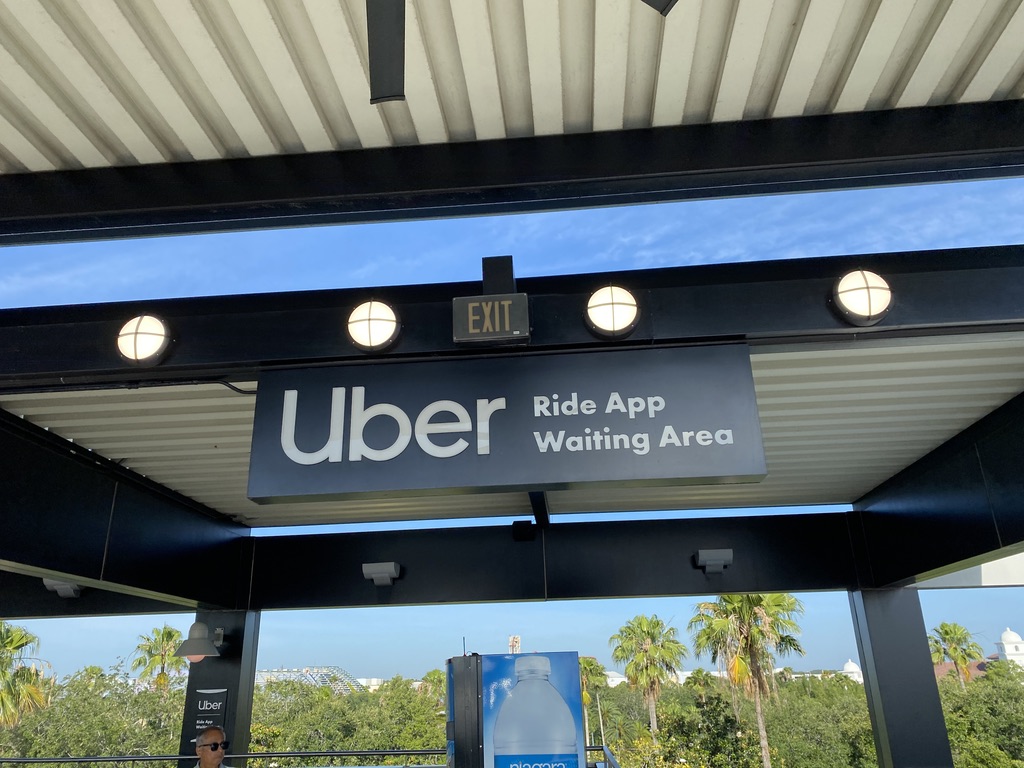
The same principle applies at Universal Orlando, and honestly it’s even more dramatic there. Requesting a ride right at the moveators near security will almost always show you an inflated price. Walk to CityWalk — even just into the store area — pull up the app, and the number changes. The tradeoff is that your pickup might be in a less convenient spot, which means you need to be ready to move quickly once you confirm. But the savings are real and the inconvenience is minor.
When Waiting Is Worth More Than Walking
Sometimes you can’t walk anywhere useful. Late at night in an off-property area, or at a pickup zone with no real alternative, the geography move doesn’t help. In those cases, the 20-minute wait is the better play.
This is where you have to be honest with yourself about what your time is actually worth on vacation. If you’re already back at the resort, or somewhere you’re comfortable waiting, checking the app again in 15 or 20 minutes costs you nothing. The surge will almost always ease. The algorithm is reactive — demand drops, prices follow.
But if it’s midnight, everyone is exhausted, and the difference between the surge price and the normal price is $12, that $12 might be the right spend. There’s no shame in paying surge pricing when the alternative is standing around waiting and doing math. That’s not being a savvy traveler. That’s just making yourself miserable to save $12.
The framework I use: if I’m already moving and the walk is easy, I walk. If I’m stationary and comfortable, I wait. If I’m tired and done, I pay and move on.
Article Continues Below
One More Thing the App Won’t Tell You
Promos. Flash discounts. Percentage-off offers that appear and disappear without warning.
I’ve had the exact same ride on the exact same route show $42.98 on one screen and $34.88 on a second check a minute later — because a 15% flash promo had been applied. I didn’t do anything differently. I just checked twice.
The app cycles these offers constantly, and they don’t always announce themselves clearly. If you’re looking at a fare that feels higher than it should be and you’re not in a rush, close the app, wait 60 seconds, and open it again. It’s not guaranteed to change anything, but it costs you nothing to check.
Surge pricing at Disney World is real, it’s frustrating, and it’s also completely beatable if you’re willing to be even slightly flexible. Walk five minutes. Wait twenty. Check twice. The cars are there. The algorithm is just waiting for the crowd to thin out before it calms down — and so should you.